Telling Time Game
Time Pilot is a free telling time game on an analog clock for grades 2-5, played in a web browser on a desktop or laptop, with no account, no sign-in and nothing to install. One click per clock step. Time Pilot opens with only that step in play: each flight order names a time, and the student either sets the hands on the ship's clock or picks the time the clock shows, before the countdown runs out. Miss one and the game shows the right clock, then asks for that time again a little later.
Pick a clock step, press play
Or a whole unit
First clocks
O'clock and half past, setting and reading. Common Core 1.MD.B.3 asks for hours and half hours.
Play this setFive-minute marks
Every five-minute mark. Common Core 2.MD.C.7 asks for the nearest five minutes.
Play this setTo the nearest minute
Any minute on the dial. Common Core 3.MD.A.1 asks for the nearest minute.
Play this setElapsed time only
Every order is a "how long" or a "what time will it be" question, on five-minute times. The other half of 3.MD.A.1.
Play this set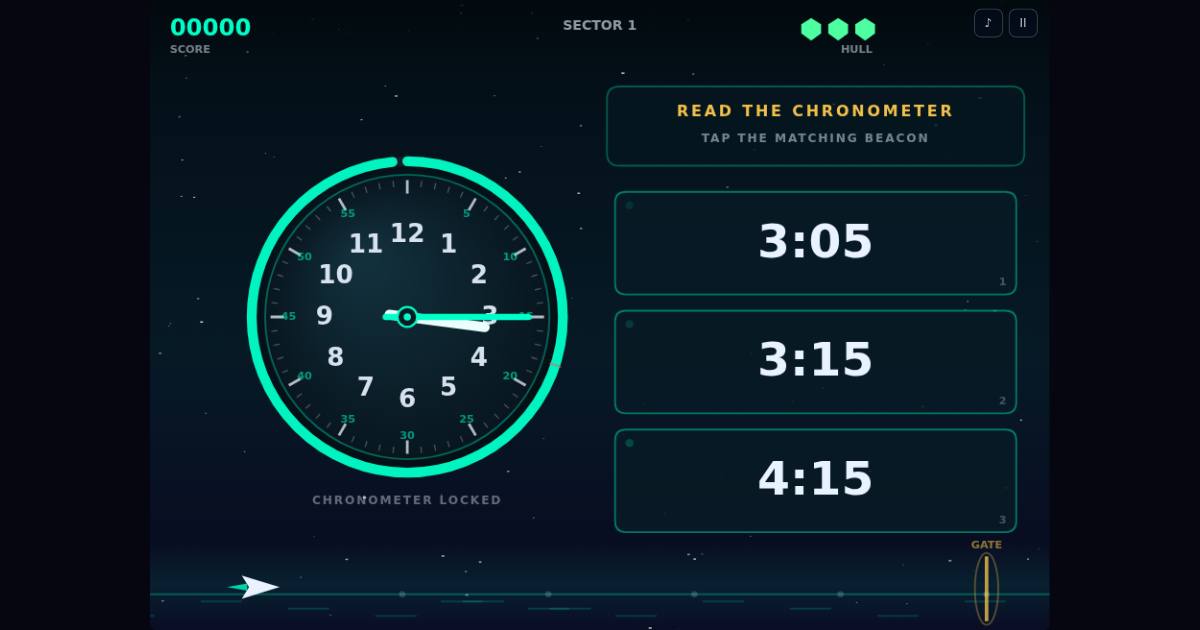
Your own mix, one link for the class
The link opens Time Pilot with just that mix. Saved settings on a student's computer are left alone.
Setting the clock: drag the hands to show a time. Reading the clock: pick the time the clock shows. Elapsed time: how long between two times, or what time it will be. Mixed with the others, elapsed-time questions only show up on the faster speeds; tick it on its own to get only elapsed time.
More free games
Every game on the Arcade Deck is free, with no account.
- Meteor MathTimes tables: type the answer before the meteor lands.
- Fraction FleetFractions: shoot the ship carrying the matching fraction.
- Money RunMaking exact amounts with real Canadian coins and bills.
- Geo Storm2D shapes: patch the hull breach with the matching plate.
- Word WarpSpelling: the word flashes on the warp gate, then type it from memory.
- Code BreakerLogic: crack a secret shape code from the lock's clues.
See all 12 free games · Times tables game · Turn your spelling list into a game
Questions teachers ask
- Is it free?
- Yes. Time Pilot is one of the 12 games on the Arcade Deck, which is free to play with no account and nothing to install. The ten rooms on the Promenade are for members; nothing on this page needs one.
- What do students need?
- A desktop or laptop computer with a mouse or trackpad and a keyboard, and an up-to-date browser.
- Can I make a link for my own mix?
- Yes. Tick the clock steps and the kinds of question in the picker above and you get one link that opens Time Pilot with that mix. The mix lives in the link itself; we do not store anything.
- Does it go too fast for younger students?
- It opens on Rookie with the Relaxed countdown, which is the slowest setting. Teacher Setup in the game changes the speed, the countdown, and which dial markings (hour numbers, minute ticks, minute numbers) are shown.
- Does it do digital clocks or a.m. and p.m.?
- The clock is always analog and the times are written as digits (4:30), so it practises the analog-clock part of those standards. It does not ask about a.m. and p.m.
- Do students sign in, or does it collect anything?
- No sign-in and no student accounts. There are no ad trackers. See the privacy page for the details. Privacy.
- Who makes Starship Arcade?
- Starship Arcade is a small independent studio in Ontario. The games are built with AI and tested before they ship.