What is Starship Arcade?
Starship Arcade is a set of arcade learning games for grades 3 to 6, built as a neon starship you walk through in a desktop browser. Twelve of the games are free for everyone, on the Arcade Deck: no account, no sign-in, nothing to install. Each one practises one thing (times tables, fractions, telling time, money, shapes, spelling, grammar, geography, the periodic table, cells, logic or memory) in short rounds that end before attention does.
Play the 12 free games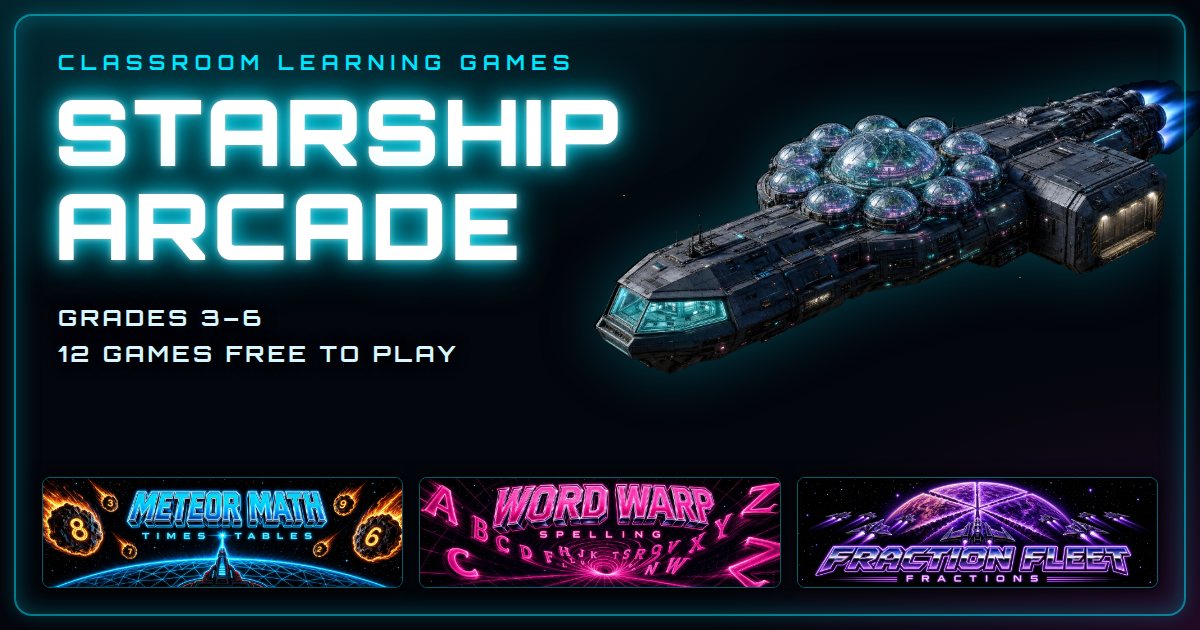
The 12 free games
- Math · grades 3-6Meteor MathTimes tables. Each meteor carries a multiplication fact; type the answer before it reaches your base.
- Math · grades 3-6Fraction FleetFractions. Shoot the ship carrying the fraction that matches the order.
- Math · grades 3-6Time PilotTelling time and elapsed time on analog clocks.
- Math · grades 3-6Money RunMaking exact amounts and change with Canadian coins and bills.
- Math · grades 3-6Geo Storm2D shapes, sides and rotation. Patch each hull breach with the matching plate, then turn it until it fits.
- Spelling · grades 3-6Word WarpSpelling. A word flashes on the warp gate, vanishes, and the student types it from memory. A teacher can load their own word list from a link.
- Grammar · grades 3-6Grammar BlasterSentence repair. One word in each sentence is wrong (tense, homophone, capital, plural); find it and blast it.
- Geography · grades 3-6Star ChartsWorld geography. Find the country, capital city, continent or landmark the order names on the map.
- Science · grades 3-8Atom SmashThe periodic table. Smash the element nucleus the panel names as it races around the collider ring.
- Science · grades 3-6Cell DiveCell biology. Steer a tiny submarine into the organelle that does the job named at the top.
- Logic · grades 3-6Code BreakerLogic and deduction. Crack a secret shape code from the lock's LOCKED and LOOSE clues.
- Memory · grades 3-6Memory CoreWorking memory. Watch the pattern light up, then play it back in the same order.
Free word-list links for teachers
- Fractions game: equivalent fractions, comparing, simplifying, adding and subtracting with like denominators and fraction-decimal matches, each a one-click Fraction Fleet link on the denominators you pick, plus a picker that makes a class link for any mix.
- Periodic table game: element symbols and names, atomic numbers, element families and the elements in everyday compounds, on the first 10, first 20 or all 36 elements, each a one-click Atom Smash link, plus a picker that makes a class link for any mix.
- Grammar game: homophones, verb tense, subject-verb agreement, capital letters, plurals or a / an, alone or mixed, as a lesson that shows the repair and the rule or as a quiz, each a one-click Grammar Blaster link, plus a picker that makes a class link for any mix.
- Parts of a cell game: animal cell parts, plant cell parts or both, the core six or the protein path, with organelle names on or as a shapes-only quiz, each a one-click Cell Dive link, plus a picker that makes a class link for any mix.
- World map game: countries, capital cities, continents and landmarks on six continents, with names on the map or as a no-names quiz, each a one-click Star Charts link, plus a picker that makes a class link for any mix.
- 2D shapes game: triangles, quadrilaterals, polygons and rotation braces, with shape names, side counts or no labels, each a one-click Geo Storm link, plus a picker that makes a class link for any mix.
- Canadian money game: counting nickels, dimes and quarters, all the coins, or coins and bills up to $50, making the amount or giving change, each a one-click Money Run link, plus a picker that makes a class link for any mix.
- Ontario math games by grade: Grades 2 to 6: the 2020 Ontario math expectations a free game really practises (B Number, E Spatial Sense, F Financial Literacy), each quoted with an honest close-fit or part-of-it note and one-click game links.
- Telling time game: o'clock, half past, quarter past and to, five-minute marks, to the minute and elapsed time, each a one-click Time Pilot link, plus a picker that makes a class link for any mix.
- Times tables game: every times table 1 to 12 (and its division facts) as a one-click Meteor Math link, plus a picker that makes a class link for any set.
- Turn your spelling list into a game: paste a word list, get one link that opens Word Warp with those words loaded.
- Dolch sight words game: every Dolch list (pre-primer to grade 3, plus nouns) as a one-click Word Warp link.
- Halloween spelling game: two Halloween word lists for grades 3-4 and 5-6, one click each.
- Halloween math game and word problems: twelve Halloween word problems for grades 3-6 with a printable answer key, plus Meteor Math links for the facts behind them.
- Thanksgiving spelling game: two Thanksgiving word lists for grades 3-4 and 5-6, one click each.
- Thanksgiving math game and word problems: twelve Thanksgiving word problems for grades 3-6 with a printable answer key, plus Meteor Math links for the facts behind them.
- Winter spelling game: two winter word lists for grades 3-4 and 5-6 (December to February, no holiday), one click each.
- Winter math game and word problems: twelve winter word problems for grades 3-6 with a printable answer key, plus Meteor Math links for the facts behind them.
- Indoor recess games: four ways to run the 12 free games on an indoor day (computer lab, one game on the projector with the class calling out answers, pairs, a class high-score board), plus one-click starts.
Got a class website? Add any of the 12 free games to it: copy-paste embed code for Google Sites, Weebly, WordPress and Blogger.
What you need
A desktop or laptop computer with a keyboard and an up-to-date browser. Every game has a Teacher Setup screen, so a teacher can pick which facts, how fast and how many rounds before handing it over.
Members
Past the deck, the Promenade has ten rooms (math, reading and spelling, logic, memory, music, geography, science, mental math, puzzles and typing) with 160 more games. Those are for members. Every game, by room and subject.
Questions people ask
- What is Starship Arcade?
- A set of classroom learning games for grades 3 to 6, built as a neon starship you walk through in the browser. The Arcade Deck has 12 games that are free for everyone. The ten rooms on the Promenade hold 160 more games and are for members.
- Which games are free?
- The 12 on the Arcade Deck: Meteor Math, Fraction Fleet, Time Pilot, Money Run, Geo Storm, Word Warp, Grammar Blaster, Star Charts, Atom Smash, Cell Dive, Code Breaker, Memory Core. They are free to play with no account, no sign-in and nothing to install.
- What grades is it for?
- Grades 3 to 6 (roughly ages 8 to 12). Atom Smash stretches to grade 8.
- What do students need?
- A desktop or laptop computer with a keyboard and an up-to-date browser. It is built for keyboard and mouse.
- Can a teacher change the settings?
- Yes. Every game has a Teacher Setup screen for things like which facts, how fast and how many rounds. Word Warp can also open with a teacher's own word list from a link.
- Do students sign in, or does it collect anything?
- No sign-in and no student accounts for the free games, and there are no ad trackers. The privacy page has the details. Privacy.
- Who makes it?
- Starship Arcade is a small independent studio in Ontario, Canada. The games are built with AI and tested before they ship.